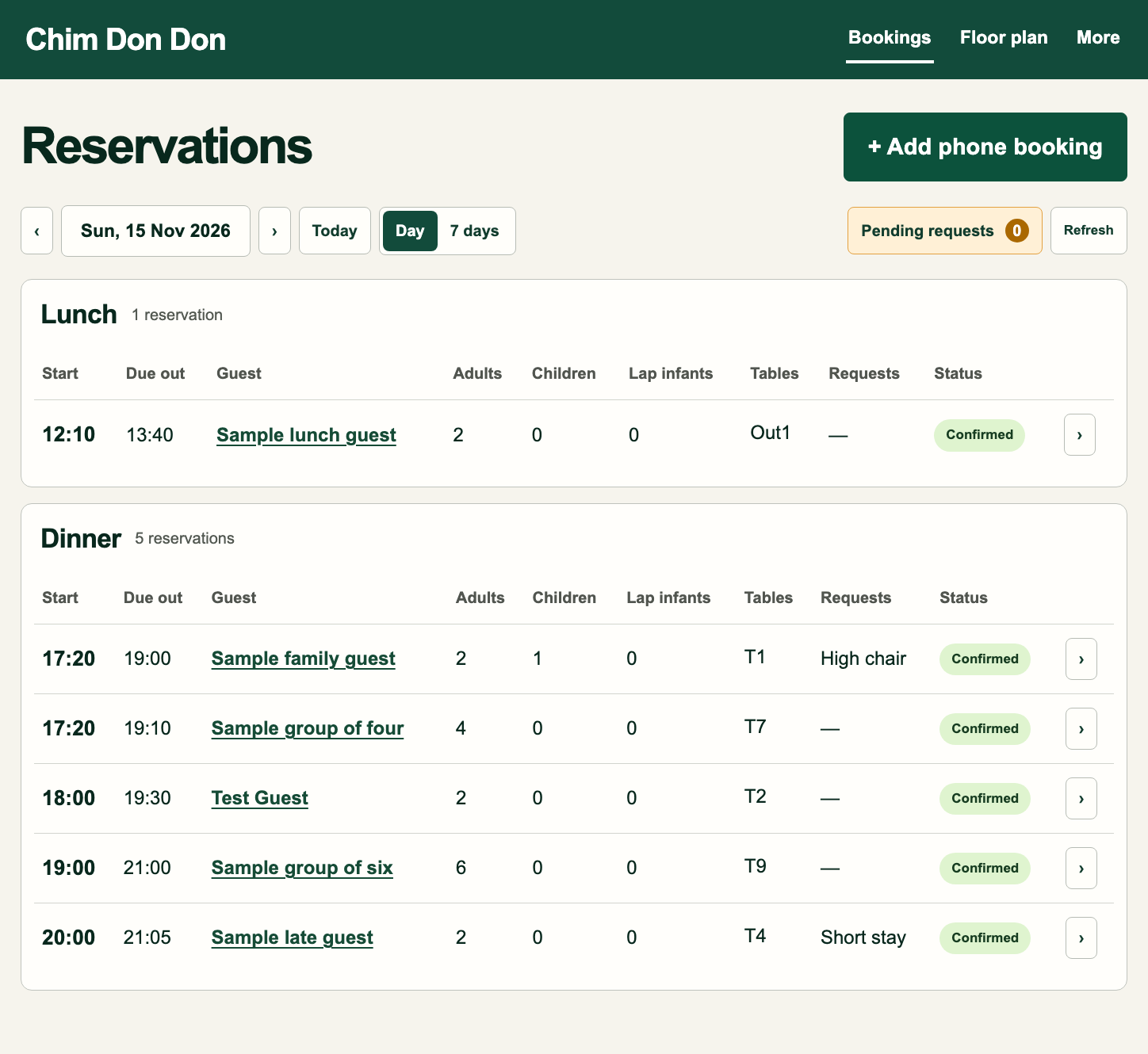
1. Reservations
Check whether the times, party sizes, tables and status are easy to read.
 Open full-size image ↗
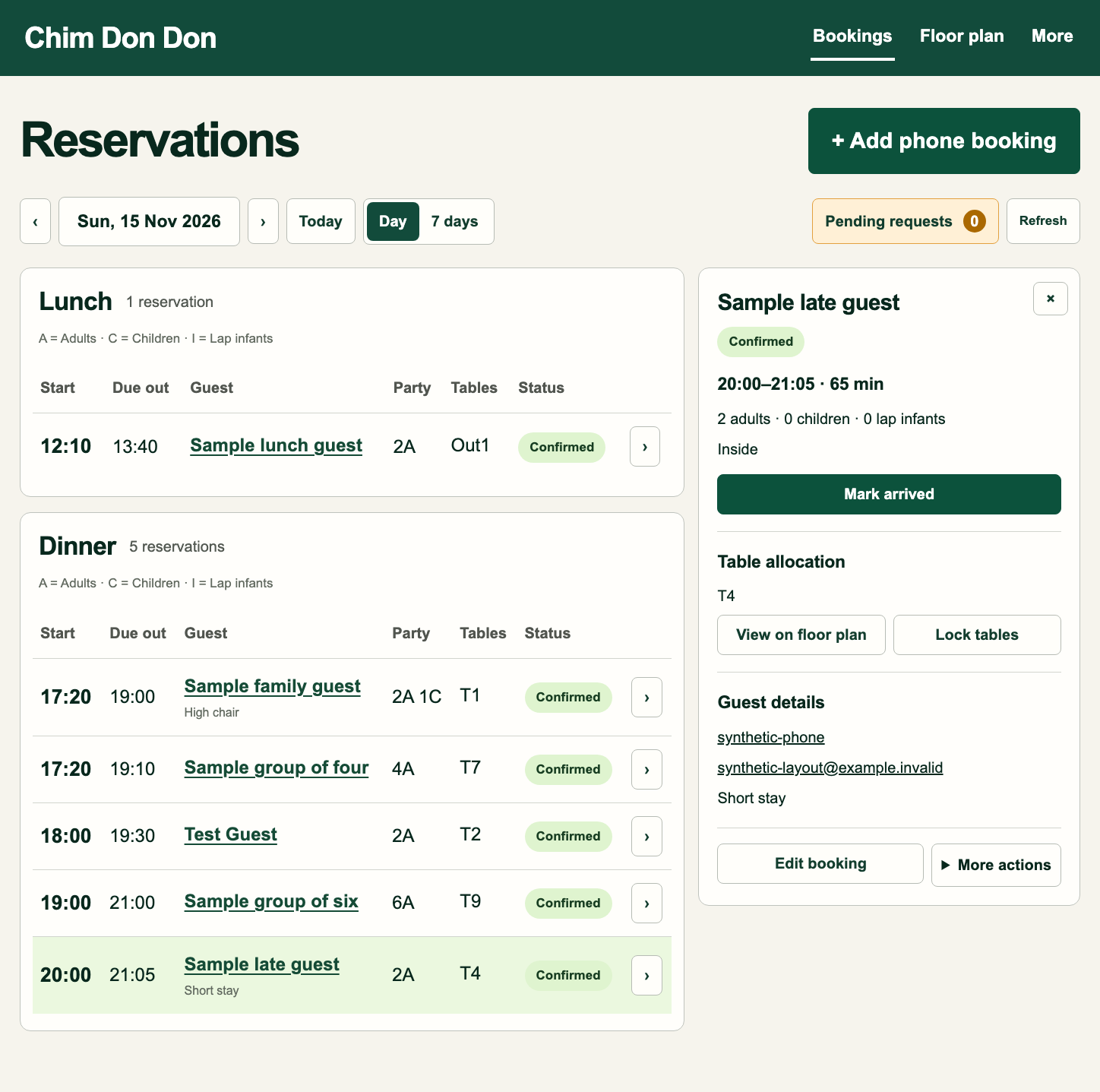
2. Reservation details
Check the booking details and action buttons in the right-hand panel.
 Open full-size image ↗
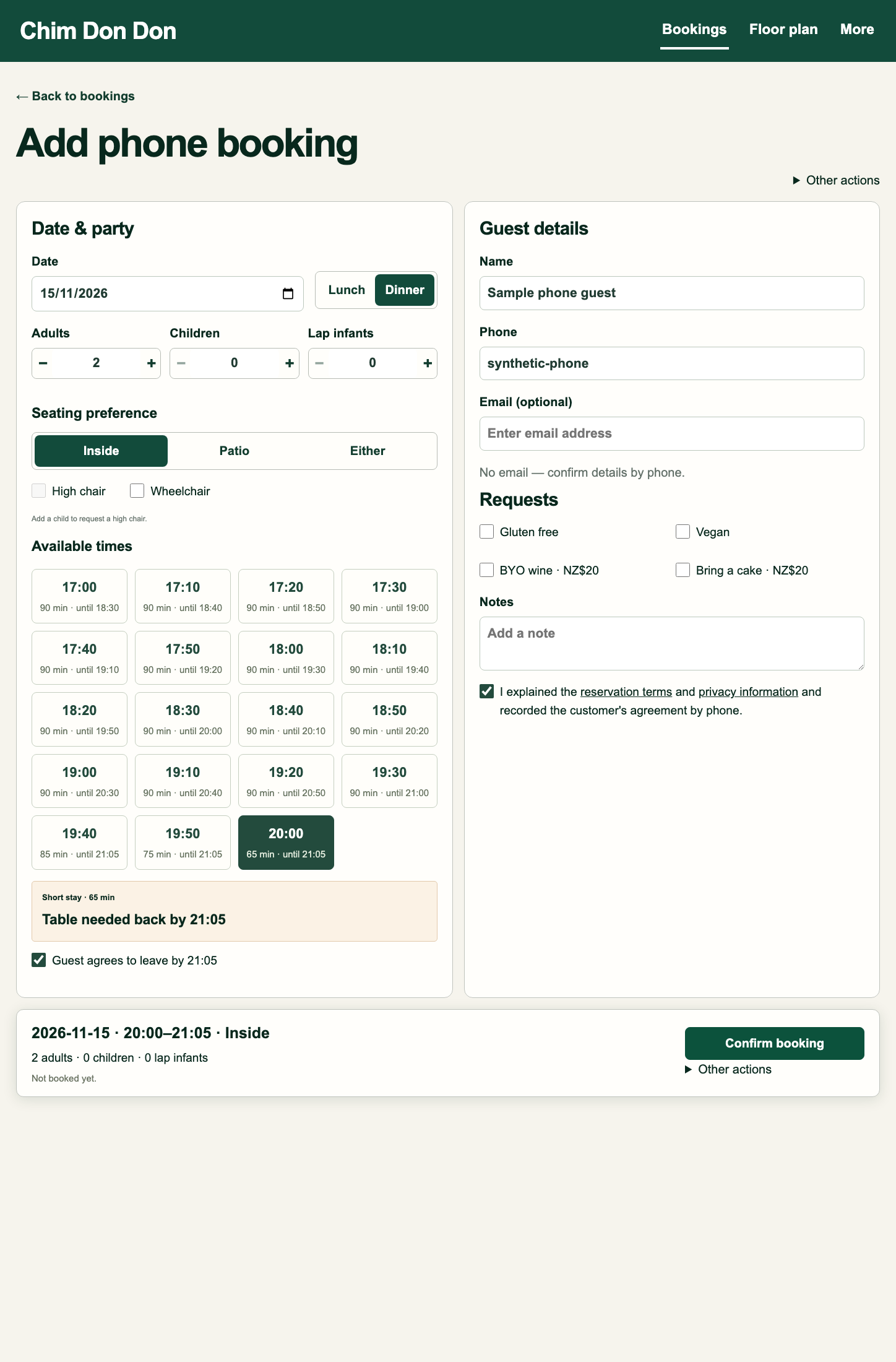
3. Phone booking
Check the input order, available times and short-stay confirmation.
 Open full-size image ↗
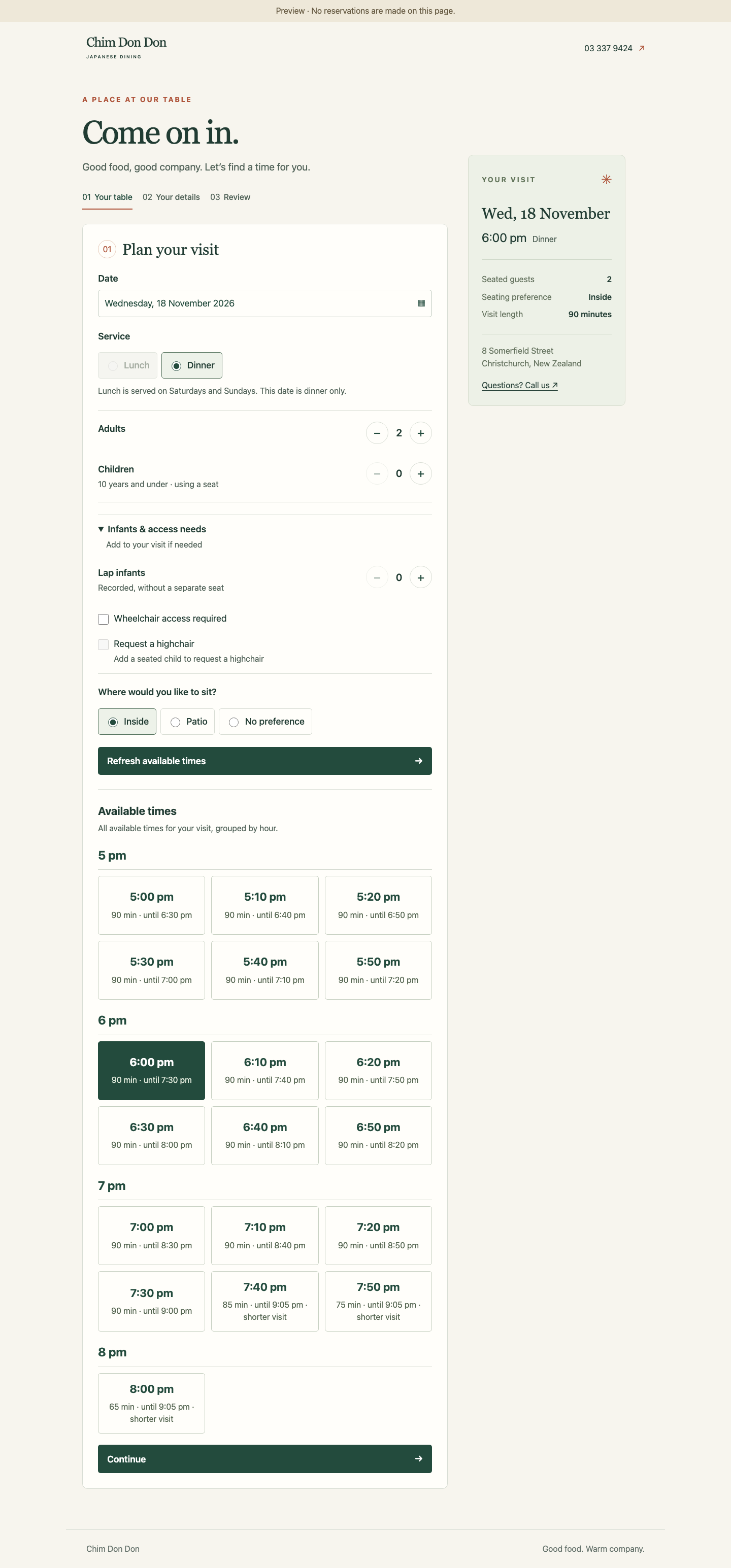
4. Customer booking · PC
Check the date, party size, seating preferences and available times on a desktop screen.
お客さんの予約画面・PC版。日付・人数・席の希望と、空いている時間の表示をご確認ください。
 Open full-size image ↗
5. Customer booking · Mobile
The same booking screen at a mobile width. Tap the image to open it at full size.
お客さんの予約画面・スマホ版。同じ内容をスマホ幅で表示しています。
 Open full-size image ↗
Staff images captured 15 November 2026; customer images captured 16 November 2026 from the reservation preview. This page is for visual review, not live reservations.